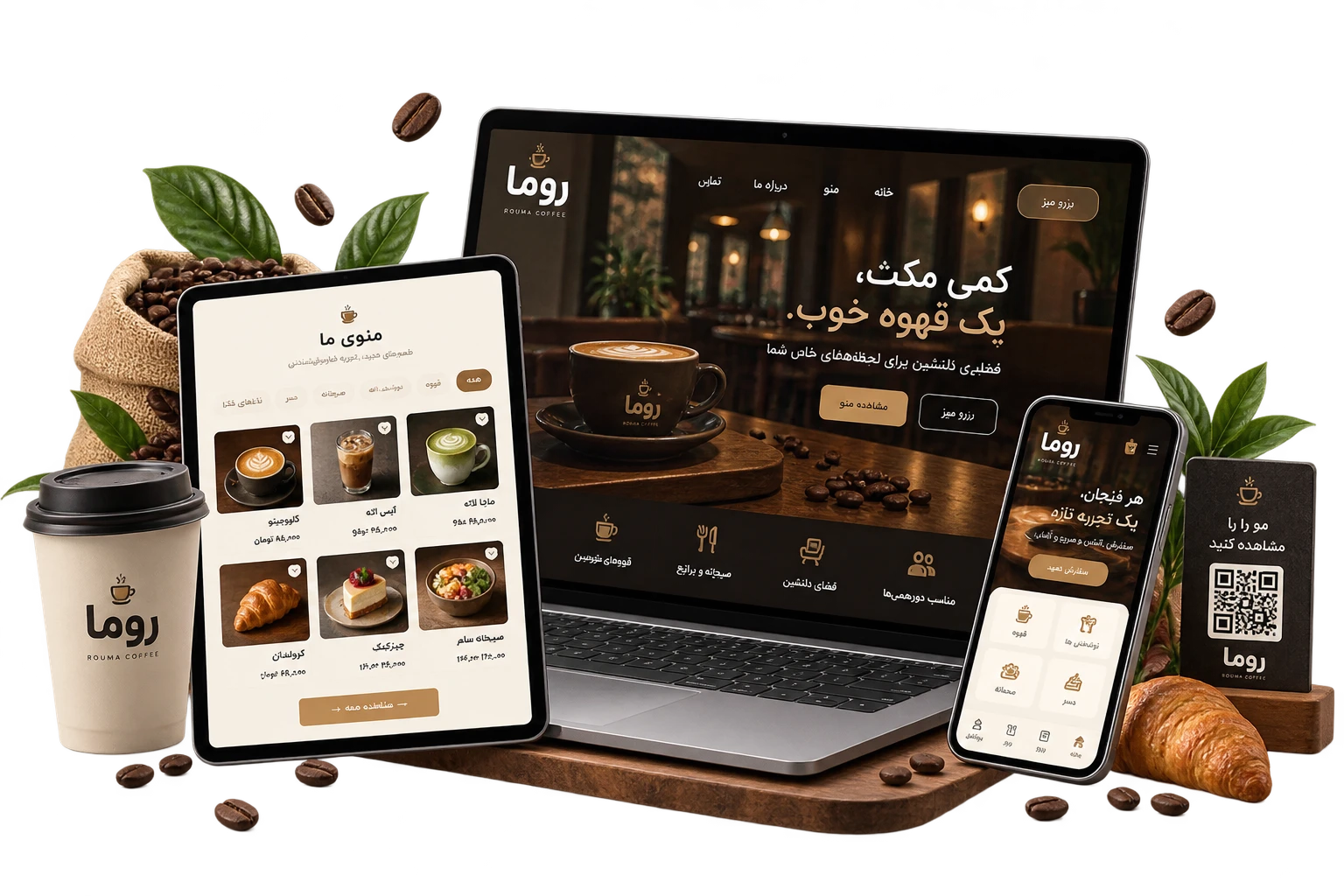
Direct customer ordering via a unique QR code for each table
01
Custom Design
Design & Development of the Roma Café Website and Integrated Management System
Café website and management system with QR ordering, table reservations, kitchen display, and integrated management.
02
Overview
From an idea to a complete digital product.
The Roma Café project was developed to create an integrated digital experience for customers, staff, and managers. It is more than a promotional website, bringing together ordering, table reservations, floor management, kitchen operations, menu management, sales analytics, and customer communication within a single unified system.
Integrated reservation management with real-time table availability and status
Dedicated kitchen display for new, in-preparation, and ready-to-serve orders
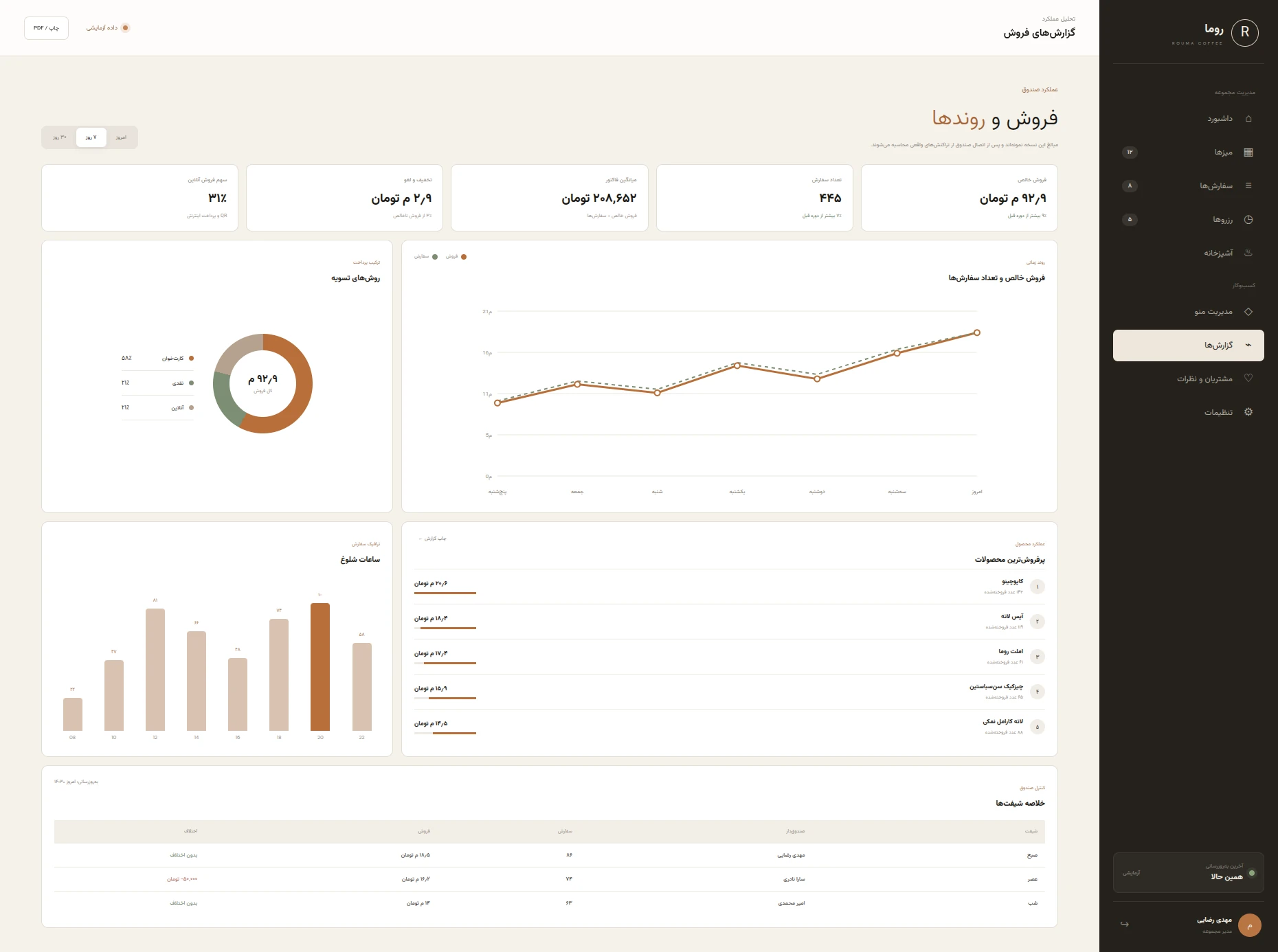
Analytical reports on sales, orders, peak hours, and payment methods
03
Challenge
The challenges that had to be solved first.
The main challenge of the project was creating a seamless and well-structured connection between the customer experience and the café’s operational processes.
04
Solution
We turned the idea into a real, usable system.
To address the project’s challenges, the system was divided into three main sections: the public website and customer experience, the staff operations dashboard, and the management and reporting dashboard.
Digital Product Menu
Products organized into coffee, cold drinks, breakfast, and dessert categories, with images, descriptions, and prices.
Online Table Reservation
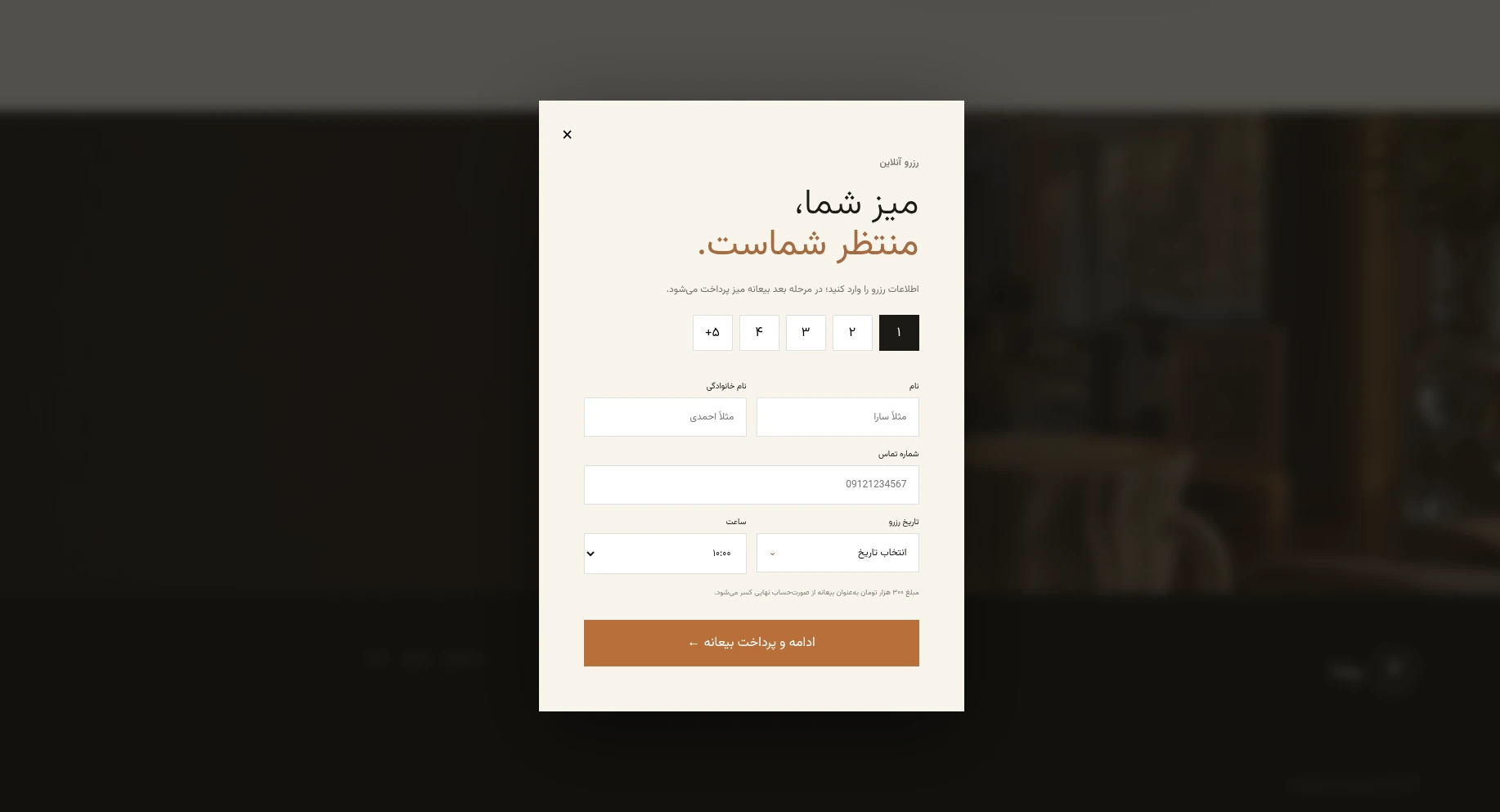
Select the number of guests, Persian date, and visit time, and book a table directly through the website.
Reservation Deposit Payment
Reservation summary, deposit payment, tracking code generation, and a printable confirmation receipt for the customer.
Table QR Ordering
Automatic table number detection from the QR link, allowing customers to view the menu and place orders directly.
Customer Order Cart
Add products, adjust item quantities, automatically calculate the total amount, and place the final order.
Staff Login
Staff login with user and shift selection and PIN authentication, with automatic redirection based on organizational role.
Management Dashboard
Daily overview with local time, sales, order and reservation counts, and a quick view of café table status.
Table Management
Table layout with available, occupied, and reserved statuses, guest registration, and synchronization with existing reservations.
Order Management
View and manage dine-in, QR, and takeaway orders with payment processing, status updates, cancellations, and invoice printing.
Kitchen Display
Order preparation workflow with New, In Preparation, and Ready for Pickup stages, including delay alerts.
Preparation Station Separation
Automatic routing of order items to the bar or kitchen based on each product’s preparation station.
Reservation Management
Weekly reservation schedule with guest details, reservation status, table capacity, and options to create or edit reservations.
Menu Management
Add, edit, and remove products, set prices and availability, manage images, and publish updates to the customer menu.
Category Management
Create, rename, disable, or delete menu categories and organize products for easier customer browsing.
Inventory Management
Track product inventory, set low-stock alerts, and automatically or manually disable unavailable items from the customer menu.
Sales Reports
Daily, weekly, and monthly sales analysis with charts for sales trends, orders, and average order value.
Payment Method Analysis
Breakdown of cash, card, and online payments, with analysis of payment method distribution across different periods.
Peak Hours Analysis
Identify peak hours based on order volume to improve staff scheduling and operational preparation.
Review Management
Review, filter, publish, or hide customer reviews, with the option for management to post official responses.
Business Settings
Manage brand details, contact information, taxes, logo, operational settings, users, roles, and system notifications.
05
Technologies
Technologies used
Bootstrap
CSS3
Django
Django REST Framework
Docker
GitHub
HTML5
JavaScript
Redis
06
Services
Services provided
Restaurant and Café Website Design
Business Automation and Custom Intelligent Systems
07
Gallery
A closer look at the product.
Open a view and scroll inside the device.
08
Outcome
Numbers that show the progress.
ATRABYTE
Start a project
Let’s turn your next project into a real product.
Tell us about your idea. Together, we’ll find the right path to build it.