
A potential customer visits your website, looks through your services and submits a consultation form.
From that moment, an important question arises:
What happens next?
Who records the customer's information? Who should contact them? If nobody calls today, who makes sure someone follows up tomorrow? If a proposal has already been sent, when should the next follow-up happen? And when 20 other potential customers enter the same process, how do you make sure nobody gets lost between messages, spreadsheets and phone calls?
For a small business, it may be possible to manage all of this for a while using memory, spreadsheets, messaging apps and handwritten notes.
But as the number of leads grows, these seemingly small tasks can consume a significant amount of the team's time.
This is exactly the kind of problem sales automation is designed to solve.
What is sales automation?
Sales automation means using software to handle some of the repetitive and predictable tasks within a sales process.
Not the sale itself.
For example, someone does not need to copy information from every website form and manually enter it into a CRM. A system can do that automatically.
A salesperson also does not need to remember that a particular customer should be contacted again three days later. The system can create a reminder at the right time.
Salesforce describes sales automation as using technology to reduce repetitive manual work throughout the sales process. CRM platforms such as Microsoft Dynamics, HubSpot and Zoho also provide features for lead management, workflows, tasks, follow-ups and pipeline management.
The basic idea is simple:
Automate the work that does not require a person, so people have more time for the parts of sales that actually need them.
Negotiation, understanding customer needs, building trust and making nuanced decisions are still fundamentally human activities.
How does sales automation work in practice?
Imagine someone fills out a consultation form on a web development company's website.
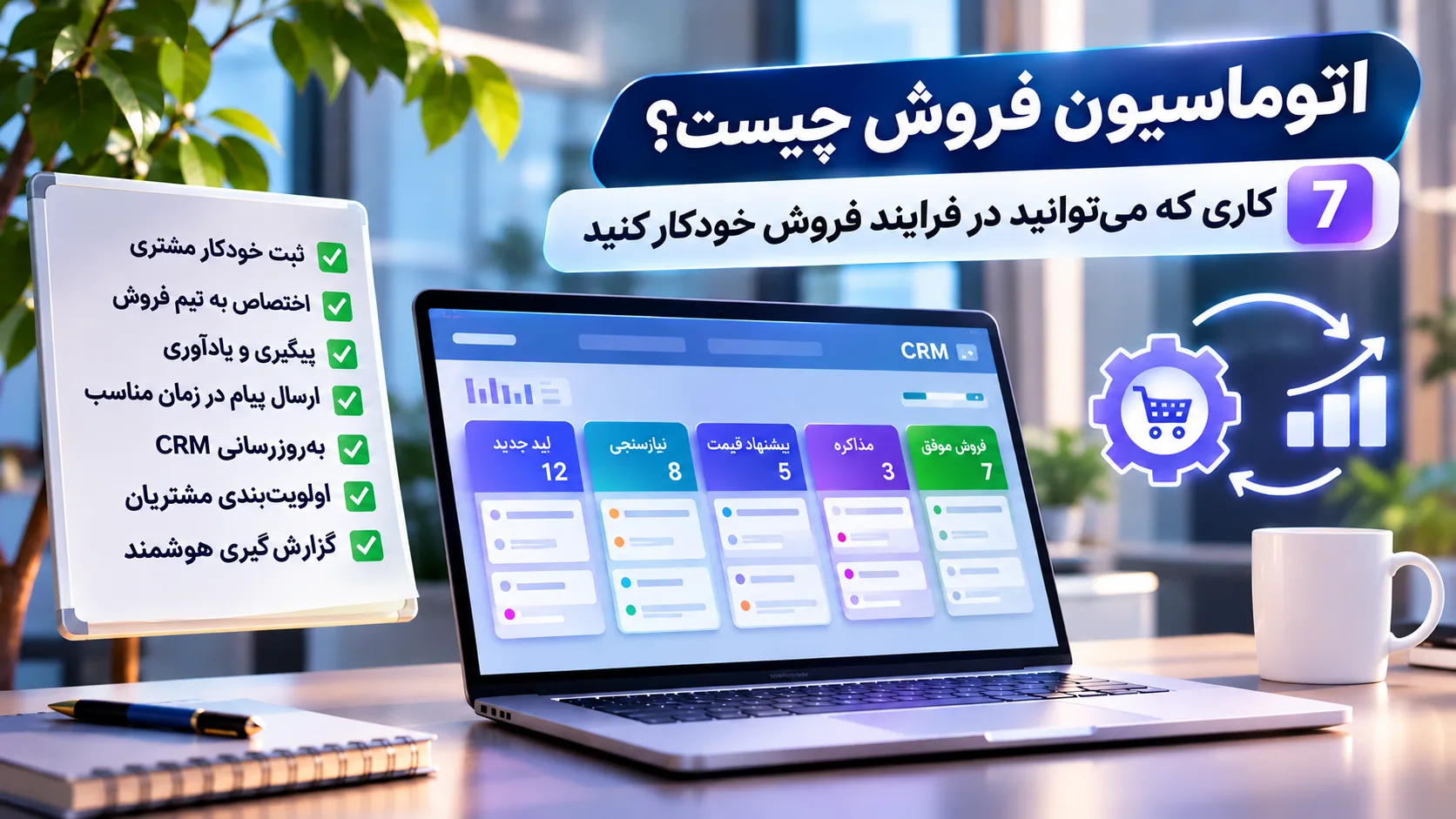
A simple workflow might look like this:
The consultation form is submitted
↓
The customer's information is added to the CRM
↓
The requested service is identified
↓
The lead is assigned to the appropriate salesperson
↓
The customer receives a confirmation
↓
A call task is created for the salesperson
↓
If the call does not happen, the system sends a reminder
↓
The outcome of the call is stored in the customer's record
A person is still talking to the customer.
Automation simply manages the tasks surrounding that conversation.
Let's look at what that means in more detail.
1. Customer information no longer gets lost between forms and messages
The first problem often appears before the sales conversation even begins: capturing customer information.
A potential customer might arrive through:
-
a website form
-
a landing page
-
a demo request
-
an advertising campaign
-
another lead-generation channel
With a manual process, someone needs to open the request, copy the phone number and other information, and enter everything into a spreadsheet or CRM.
For two leads a day, this may not seem like a serious problem.
As the volume increases, so does the possibility of mistakes and missed opportunities.
Automation can record the relevant information as soon as a request is received:
customer name, phone number, requested service, time of inquiry and lead source.
When the sales team opens the record, the essential information is already there.
This creates another important benefit.
Later, you can actually answer questions such as:
Where are our customers coming from?
Google? Advertising? Our website? A specific campaign?
When information is captured correctly from the beginning, understanding the sales process becomes much easier.
2. Each lead reaches the right person
Capturing a lead is only the beginning.
Who should follow it up?
In a very small team, one person might handle every inquiry. But when a company has multiple services, products, branches or sales representatives, requests can be routed automatically.
For example:
Web development inquiry → Web team
Automation inquiry → Automation specialist
Enterprise customer → Sales manager
Similar leads could also be distributed evenly among team members.
This process is commonly known as lead routing.
Its value is straightforward: the customer does not have to wait while someone inside the company decides, "Who should I send this request to?"
3. Follow-ups no longer depend on memory
This may be one of the most valuable applications of sales automation.
Imagine you send a proposal to a customer on Monday.
They reply:
"I'll review it and get back to you."
Three days pass.
Should you contact them again? Who is responsible for doing it? Does anyone even remember that the customer is still considering the proposal?
In a manual sales process, the answers to these questions often live inside someone's head.
A more structured system can create a task for a few days after the proposal is sent.
If the customer has already responded, the process moves forward.
If no response has been recorded, the salesperson receives a reminder.
There is an important distinction here:
Automated follow-up does not necessarily mean automated messaging.
Sometimes the best automation is simply a system telling a human:
"It's time to call this customer."
That distinction matters because automation should not turn customers into targets for an endless stream of scheduled messages.
4. Routine messages are sent at the right time
Some sales messages do not need to be written manually from scratch every time.
For example, after a customer submits a consultation request, they could immediately receive a message saying:
"We've received your request. A member of our team will contact you."
If a meeting has been scheduled, the system could send a reminder a few hours before it starts.
The same idea can be used for order confirmations, successful payments, service renewals or changes in the status of a request.
The benefit is not limited to saving a few minutes.
The customer also receives immediate confirmation that their request has been received and understands what is likely to happen next.
But there needs to be a clear boundary.
A confirmation message can be automated.
Negotiating the conditions of an important contract usually should not be.
The closer a conversation gets to decisions, emotions, objections or unusual customer circumstances, the more valuable human involvement becomes.
5. The CRM stays aligned with the sales process
Imagine your sales pipeline looks like this:
New Lead → Initial Contact → Qualification → Proposal → Negotiation → Won
With ten customers, you may be able to remember where everyone is.
What about 100?
Automation can update some stages based on events that have actually occurred.
For example, when a proposal is recorded, the deal could move to "Proposal Sent."
When the contract is confirmed, it could move to "Won."
If follow-up is required, the related task remains connected to the customer's record.
As a result, the CRM becomes more than a large digital address book.
It starts to reflect the actual state of the sales process.
When a sales manager opens a dashboard, they might discover that many customers reach the proposal stage but relatively few move beyond it.
That leads to a much more useful question:
Why?
This is where sales data starts helping the business make better decisions.
6. High-intent leads can be identified earlier
Not every potential customer is at the same stage of the buying journey.
One person has simply read an article.
Another has visited the pricing page.
Someone else has completed a consultation form.
Another person has directly requested a demo or quotation.
These behaviors do not necessarily represent the same level of intent.
This is where lead scoring can help.
Businesses can assign values to certain behaviors or customer information and use those signals for initial prioritization.
For example, requesting a quotation may indicate stronger purchase intent than simply visiting the website.
More advanced systems can also use historical data and AI models to assist with opportunity prioritization.
But there is an important warning:
Lead scoring does not reveal an absolute truth about a customer.
If the scoring criteria are poorly designed, the system simply makes bad decisions faster.
Scoring models therefore need to be evaluated and improved using real business data.
7. Sales reports no longer require combining several files
Imagine a manager wants to understand what happened this month.
How many new leads did we receive?
How many were actually contacted?
How many proposals were sent?
How many deals were won?
Which channel generated the most leads?
Where in the sales process do we lose the most opportunities?
If this information is scattered across spreadsheets, messaging apps, website forms, emails and handwritten notes, answering a few basic questions can take hours.
When information is recorded in a structured system, a dashboard can automatically provide much of this picture.
But the purpose of reporting is not to display attractive charts.
Suppose the data shows:
100 leads entered the pipeline,
60 reached qualification,
40 received a proposal,
but only 5 became customers.
The main problem may no longer be lead generation.
The business needs to understand what is happening near the end of the sales process.
Good automation does not only make tasks faster.
It makes the process easier to see.
Now let's put the pieces together.
Imagine a service company generates leads through its website.
A user finds the company through Google, visits a service page and submits a consultation form.
The workflow begins:
1. Form information is automatically recorded in the CRM.
2. The lead source is stored as "Google / Website."
3. Based on the requested service, the lead is assigned to the appropriate salesperson.
4. The customer receives confirmation.
5. A call task is created for the salesperson.
6. The call takes place and its outcome is recorded in the CRM.
7. If the customer is qualified, a proposal is sent.
8. A few days later, the system reminds the salesperson to follow up.
9. If the contract is approved, the deal moves to "Won."
10. Relevant information is passed to the next stage of the business process.
Notice something important.
The most important part of the sale was still completely human:
the conversation with the customer.
The system simply prevented the work surrounding that conversation from being forgotten, duplicated or lost.
No.
The two are closely connected, but they are not the same thing.
A CRM is primarily used to manage customer information and the history of customer relationships.
Automation determines what the system should do when something happens.
A simple way to think about it is:
The CRM knows what has happened to the customer; automation helps determine what should happen next.
Many modern CRM platforms include automation features.
At the same time, some simple workflows can be implemented without a large or complex CRM.
That is why understanding the process should come before choosing the tool.
Not every automation uses AI.
This distinction matters.
A simple rule such as:
If a form is submitted → record the information
does not require artificial intelligence.
AI becomes more useful when the task requires some level of analysis or generation.
For example:
-
summarizing a long customer conversation
-
categorizing inquiries
-
drafting an email
-
analyzing sales data
-
identifying patterns
-
assisting with lead prioritization
In these situations, AI can add another layer to the automation process.
But adding AI to every workflow does not automatically make it better.
If a simple rule can solve the problem accurately and reliably, that rule may be the better solution.
This is where the boundaries of automation matter.
Just because something can be automated does not mean it should be.
Complex negotiations, serious customer complaints, important contracts, exceptional circumstances and conversations that require contextual understanding are usually poor candidates for full automation.
Imagine an upset customer explaining a serious problem.
The last thing they probably want is an irrelevant automated response saying:
"Thank you for your message! Your satisfaction is important to us. 😊"
In situations like this, automation can actually make the customer experience worse.
A useful principle is:
Automate repetitive work. Keep relationships human.
Sales automation is not only for companies with hundreds of employees.
But that does not mean every small business needs a huge CRM and dozens of complicated workflows either.
The signs that automation may be useful are often surprisingly ordinary.
If your team frequently asks:
"What happened to this customer?"
"Weren't we supposed to call them today?"
"Did we send the quote?"
"Where is their phone number?"
"Where did this customer come from?"
"Who spoke to them last?"
then your sales process probably needs more structure.
Automation may be able to provide part of that structure.
Do not start with the tool.
The first question should not be:
Which CRM should we buy?
Or:
How do we build an AI agent?
Start by mapping the current sales process.
Where does the customer come from?
Where is their information recorded?
Who responds?
When does follow-up happen?
Where are proposals stored?
What happens if the customer does not respond?
Then look for three things:
repetition, wasted time and forgotten tasks.
When a task happens repeatedly in roughly the same way, consumes unnecessary time or is frequently forgotten, it may be a good candidate for automation.
Then choose one small workflow.
For example:
Website Form → Lead Capture → Assignment → Follow-up Reminder
Implement it and measure the result.
Did response time improve?
Were fewer leads forgotten?
Did the team actually use the system?
If the answer is yes, automate the next part.
This is usually more effective than building a huge system from day one that requires a three-month training program just to operate it.
At AtraByte, the starting point for automation is the process, not the tool.
Before deciding on a CRM, dashboard, API integration or AI solution, we first need to understand where the actual problem is.
Sometimes a simple connection between a website form and a follow-up system is enough.
Sometimes a business needs a CRM and dashboard.
In other cases, the website, administration panel and internal systems need to communicate with each other.
And sometimes the right answer is:
You do not need complex automation at all.
If automating a simple task requires a system that is harder to manage than the task itself, the problem has not really been solved. It has simply changed shape.
The goal of automation should be to make a process simpler, more measurable and more reliable.
Not to add technology simply because we can.
Sales automation is not about putting a robot behind the sales desk and sending the rest of the team home.
The idea is much simpler.
Every sales process contains repetitive tasks: recording information, routing inquiries, creating tasks, sending reminders, updating statuses and preparing reports.
If a system can perform some of these tasks accurately and reliably, the sales team gains more time for something software still has significant limitations in:
understanding the person on the other side of the conversation.
So before choosing a CRM, an automation platform or an AI solution, ask one simple question:
Which repetitive part of our sales process currently consumes the most time or is most likely to be forgotten?
That is probably the best place to start.
What is sales automation?
Sales automation is the use of software to handle repetitive parts of the sales process, including lead capture, task creation, follow-up reminders, CRM updates and reporting.
What are the benefits of sales automation?
When designed properly, it can reduce manual work, lower the risk of missed follow-ups, keep sales information organized and provide better visibility into the sales pipeline.
Is sales automation the same as CRM?
No. A CRM primarily manages customer information and interactions. Automation uses rules and workflows to trigger actions when specific events occur. Many CRM platforms include automation features.
Is sales automation useful for small businesses?
Yes. If customer inquiries, follow-ups or sales information depend heavily on manual work and people's memory, even a simple automation can be useful. There is no need to begin with a complex system.
Do you need AI for sales automation?
No. Many valuable sales workflows can be implemented with simple rules. AI is more useful when analysis, summarization, classification or content generation is required.
Can the entire sales process be automated?
Many repetitive tasks can be automated, but negotiation, trust-building, exceptional situations and important decisions still require human involvement and oversight.

Discussion
Thoughts on this article